


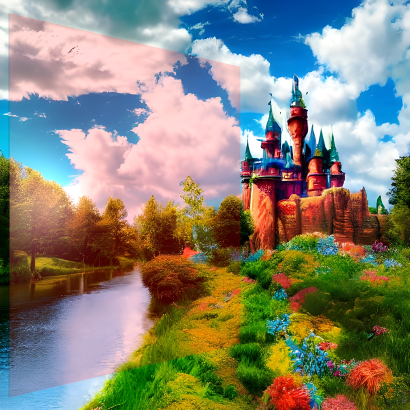
The diffuse and specular components can be specified by a (solid) color and/or a texture map
(represented as an image). If both are applied, their values are multiplied. For example:
Color#LIMEGREEN *
 =

Color#CYAN *
 =

Note
the self-illumination component can not currently be specified as a color. However, a color behaves like a map (of any size) of a single color. Creating a 1x1 pixel map of that color will have the same effect.
PhongMaterial is not suitable for surfaces that act like mirrors and reflect their environment, such as
reflective metals, water, and reflective ceramics. Neither does light refract (bend) when passing through transparent
or translucent materials such as water, glass, or ice. These materials rely on Fresnel effects that are not
implemented for this material.
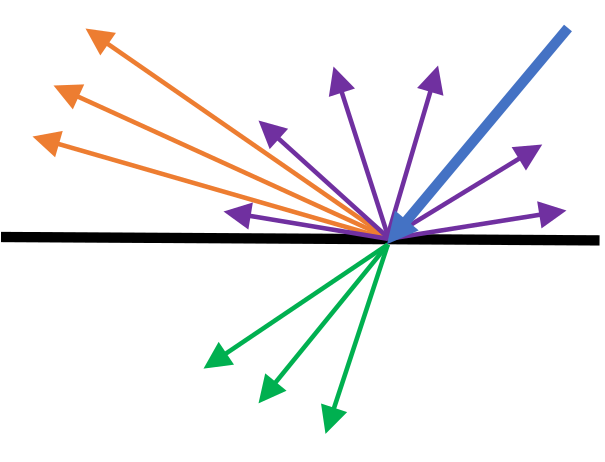 While in the physical world each light ray goes through a single path of reflection, transmission, or absorption, in
the computational world a number of adjacent rays are averaged into a single one that can split into multiple paths.
This approximation simplifies the computation model greatly while still allowing realistic rendering. The validity of
this approximation depends on microscopic details of the material, but it holds well for the vast majority of cases.
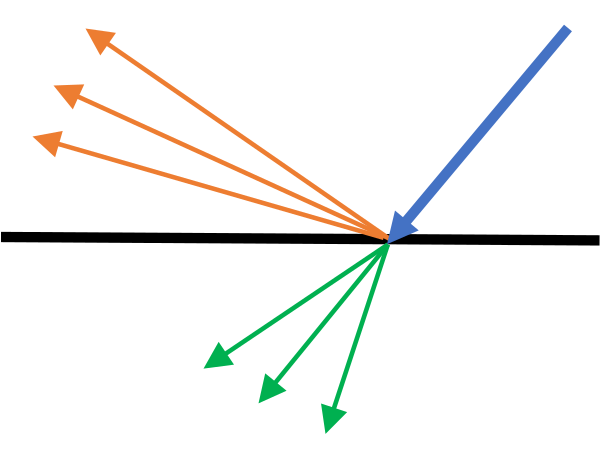
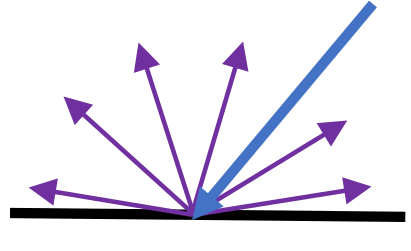
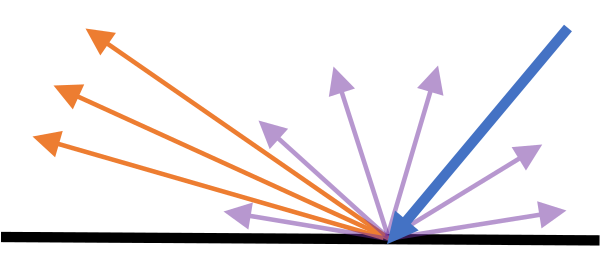
When an averaged incident ray (blue) hits the surface, it can split into many rays depending on the values of the
components of the material: rays that are either transmitted through the material (green) or reflected in all
directions via scattering (purple) depend on the diffuse component; rays that are reflected (orange), which depend on
the incident angle, are controlled by the specular component.
 |
 |
 |
| Transparent | Lambertian | Reflective |
Materials whose diffuse component allows only transmitted rays are transparent. These still have a specular component, otherwise they will be invisible (no such material exists). Materials without a specular component and whose diffuse component allows only reflected rays exhibit Lambertian reflectance. Lambertian materials reflect light in all directions equally. Materials with a specular component and a diffuse component that only allows weak reflectance are reflective.
The diffuse component interacts with all lights - both those that have directionality and AmbientLight, which
simulates a light that comes from all directions.
Important Note
there is currently a bug that causes objects with 0 opacity to not render at all (despite having a specular or a self-illumination component). Setting the opacity to 1/255 instead will give the desirable result.
The spread of the surface-reflected rays simulates the microgeometry that causes adjacent beams to be reflected in different directions. Smooth surfaces' microgeometry varies little, causing them to have a strong specular component that results in a glossy look, such as plastics, finished wood, and polished metals. Conversely, rough surfaces have a varying microgeometry, weak specular component, and a matte look, such as unfinished wood, fabric, and cardboard. This spread is controlled by the specular power, sometimes called smoothness or, conversely, roughness. A larger specular power simulates a smoother object, which results in a smaller reflection.
The specular component interacts only with lights that have directionality (not AmbientLight) as it depends
on the incident ray direction, and also on the viewer (camera) position since it depends on the reflectance direction.
The alpha component of the specular color is not used at this time.
The alpha component of the self-illumination color is not used at this time.
Bump maps are less expensive than changing a mesh by subdividing a surface into many polygons facing different ways. If the physical geometry of the surface is not important (for example, for intersection calculations), it's advised to use a bump map.
The alpha component of the bump map is not used at this time.
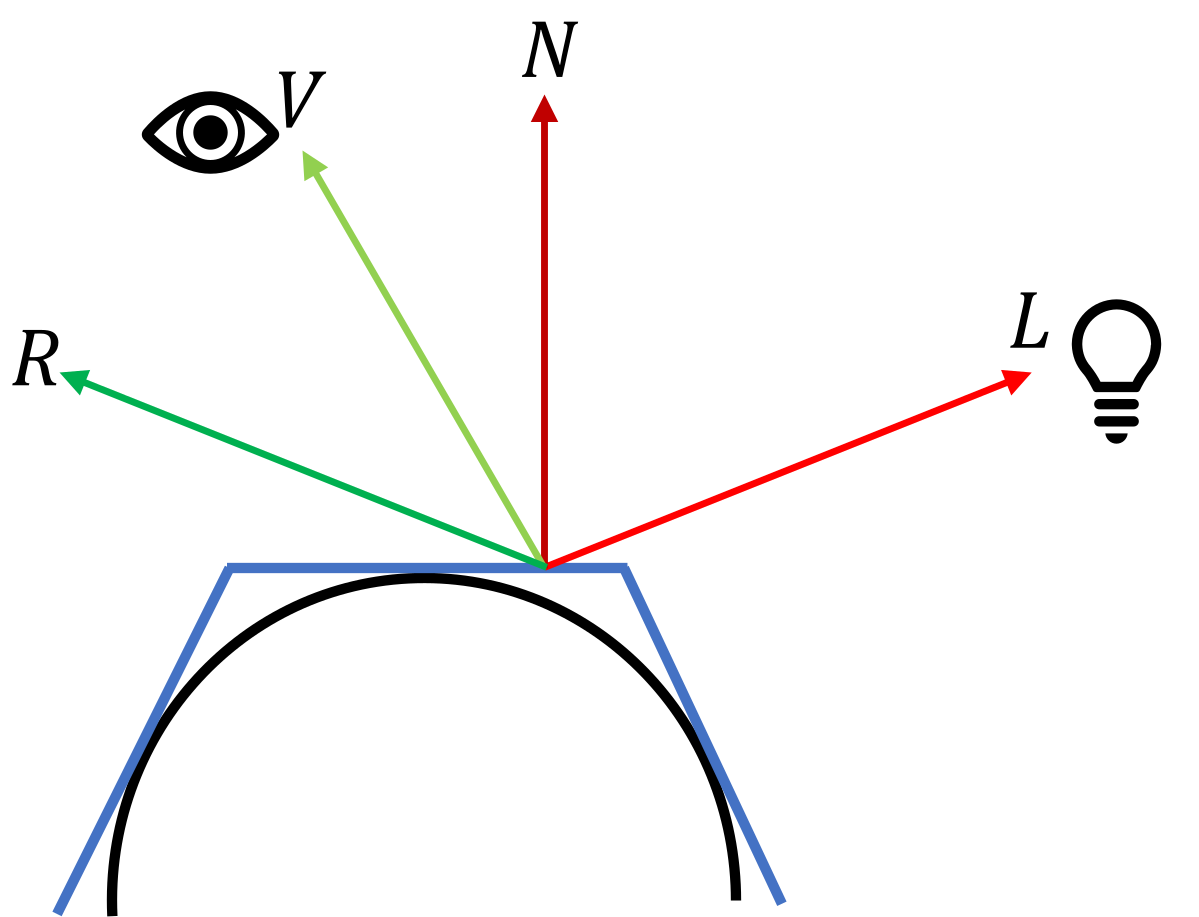 The image on
the left depicts a standard schematic of a scene with a mesh, a light source, and a camera. The black curve is the
required geometry, and the blue lines are the polygons (mesh) representing this geometry. Four normalized vectors are
considered for each point on the surface:
The diffuse and specular components are comprised of 3 factors: the geometry, the light's color, and the material's
color, each considered at every point on the surface. The light's color computation is described in LightBase
(and its subclasses). The material's color computation, as described above, is the multiplication of the color and
map properties. These factors are multiplied to get the final color.
We will treat N as the normal vector after applying a bump map, if available.
Defining the light's color as CL, and the material's diffuse color as CDM, we
multiply the 3 factors described above: L⋅N * CL * CDM. For i lights illuminating
the surface, the contribution of each light is summed:
Σi(Li⋅N * CLi * CDM)
= Σi(Li⋅N * CLi) * CDM
(since CDM is a property of the material and is the same for all lights).
Since AmbientLight simulates a light coming from and scattered in all directions, it contributes fully to the
diffuse component (L⋅N=1). We will define all the ambient lights' contribution as
A=Σi(CLi) and all the other lights' (that have a light vector) as
D=Σi(Li⋅N * CLi). The total diffuse component contribution is then
(A+D) * CDM.
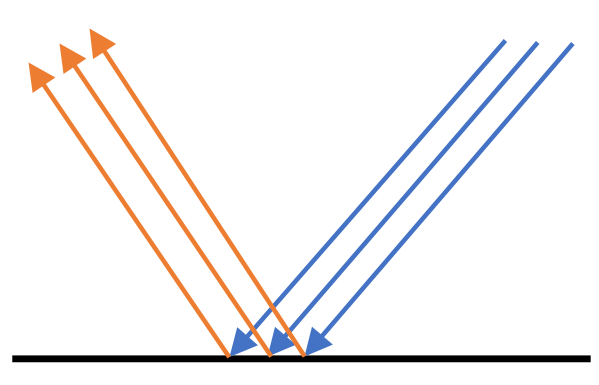
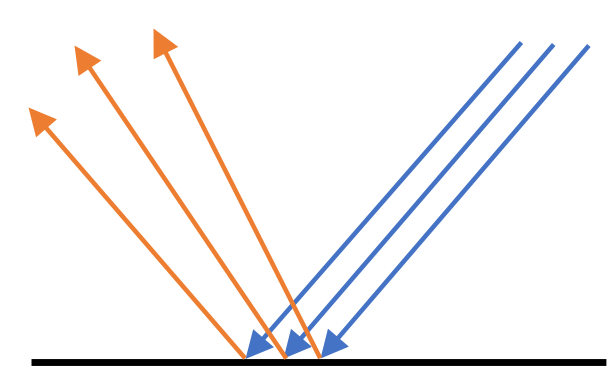 The specular power, P, represents the smoothness of the surface. Smoother surfaces have more narrow
reflections and their specular power is smaller (right image), while rougher surfaces have more dispersed reflections
and their specular power is larger (left image). Since 0≤R⋅V≤1, the term (R⋅V)P decreases
as P increases, giving a smaller contribution.
Like with the diffuse component, the resulting specular color is computed by multiplying the geometric factor, the
light's color, and the material's specular color, CSM, for each light:
Σi((Ri⋅V)P * CLi) * CSM,
and defining the specular lights' contribution as
S=Σi((Ri⋅V)P * CLi),
the total specular component contribution is S * CSM.
| Image | 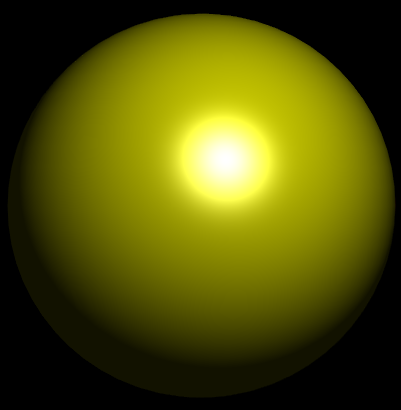 |
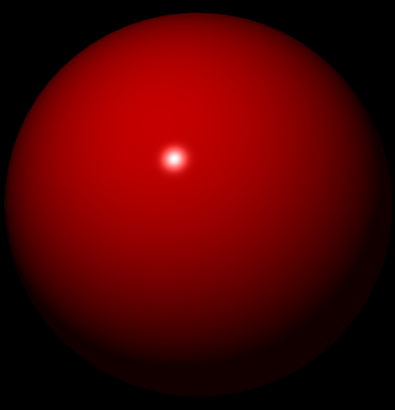 |
| Diffuse color | Color.YELLOW.darker() |
Color.RED.darker() |
| Specular color | Color.WHITE |
Color.WHITE |
| Specular power | 10 | 150 |
| Image | 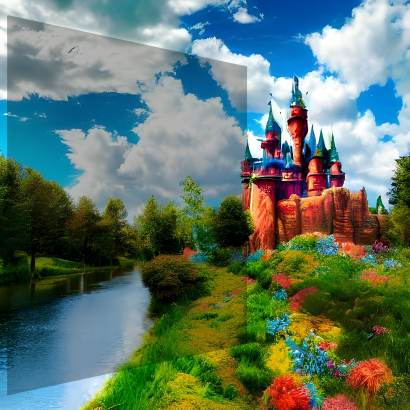 |
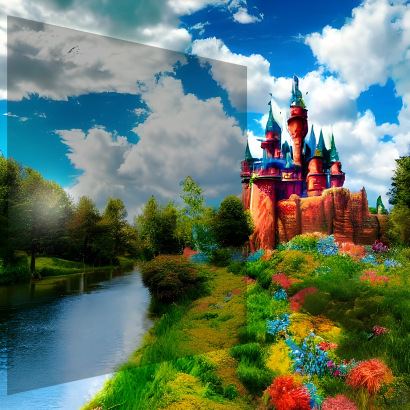 |
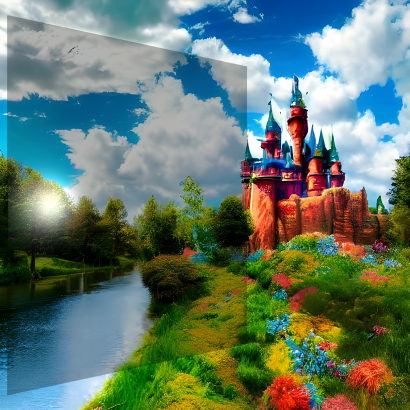 |
 |
| Diffuse color | Color.rgb(0, 0, 0, 0.3) |
Color.rgb(0, 0, 0, 0.3) |
Color.rgb(0, 0, 0, 0.3) |
Color.rgb(75, 0, 0, 0.15) |
| Specular color | Color.hsb(0, 0, 0) |
Color.hsb(0, 0, 45) |
Color.hsb(0, 0, 90) |
Color.hsb(0, 0, 45) |
| Image | 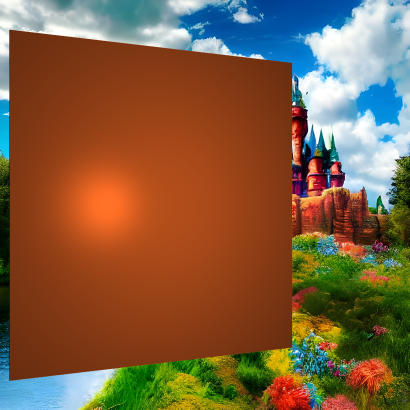 |
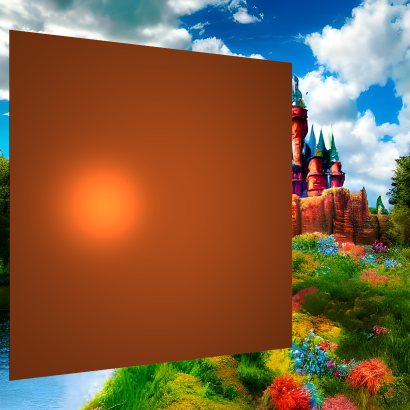 |
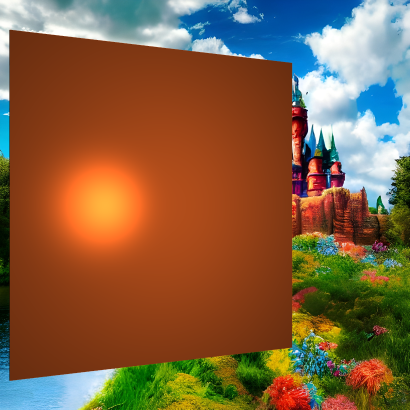 |
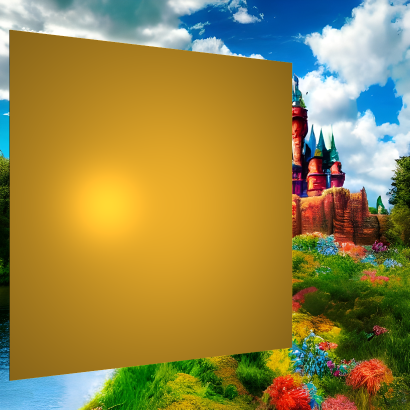 |
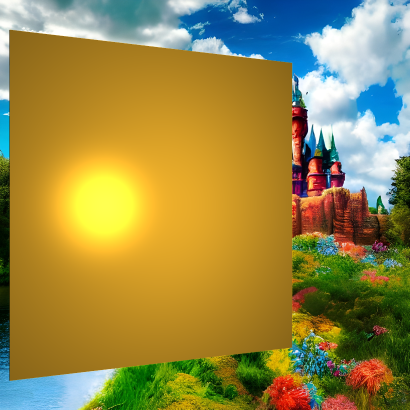 |
| Diffuse color | Color.hsb(20, 85, 70) |
Color.hsb(20, 85, 70) |
Color.hsb(20, 85, 70) |
Color.hsb(41, 82, 92) |
Color.hsb(41, 82, 92) |
| Specular color | Color.hsb(20, 85, 40) |
Color.hsb(20, 85, 70) |
Color.hsb(20, 85, 100) |
Color.hsb(41, 82, 30) |
Color.hsb(41, 82, 92) |
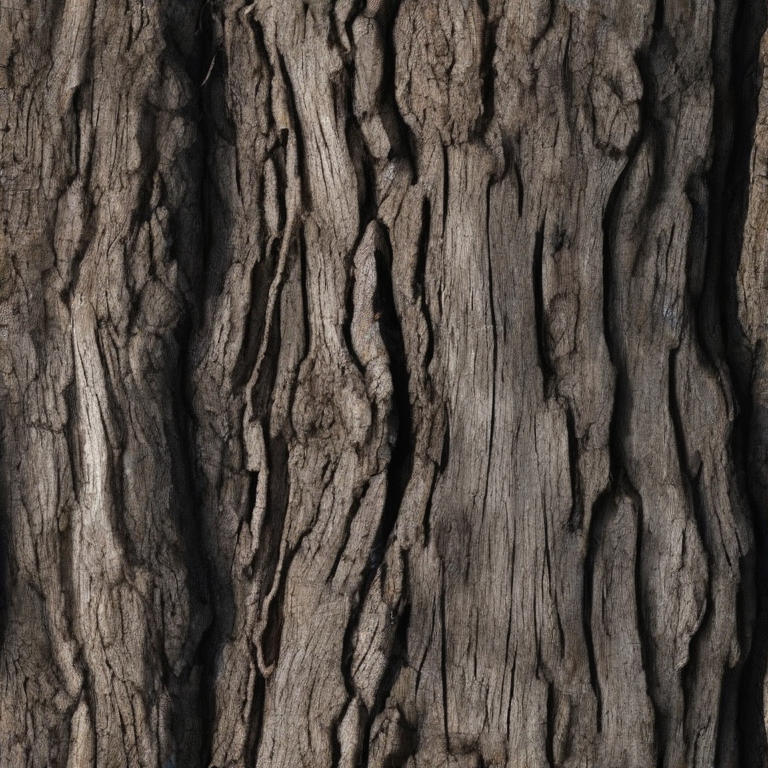
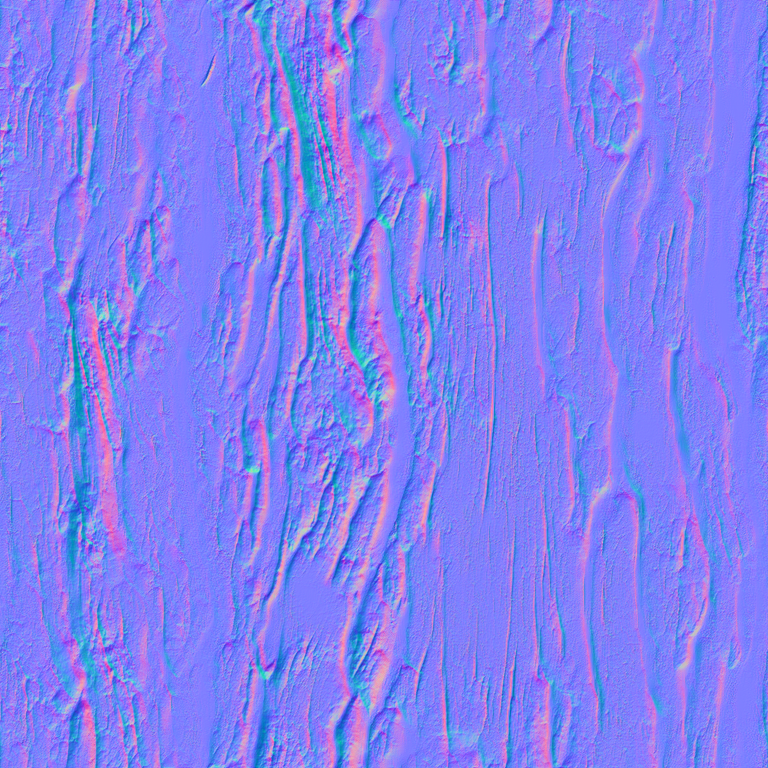
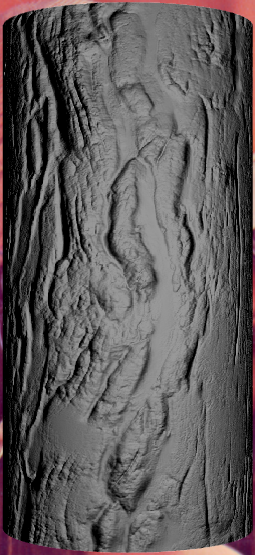 |
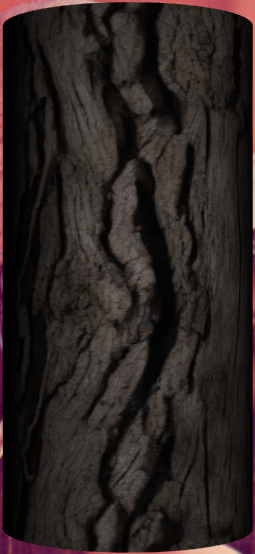 |
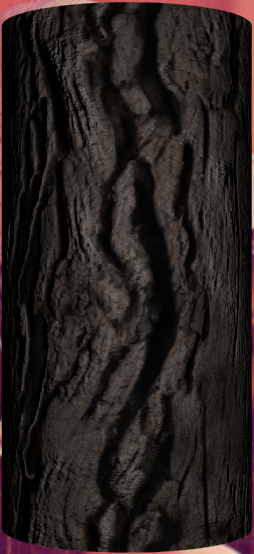 |
| Bump | Diffuse | Bump+Diffuse |
HSB=(0, 0, 60) has been used to darken the wood.
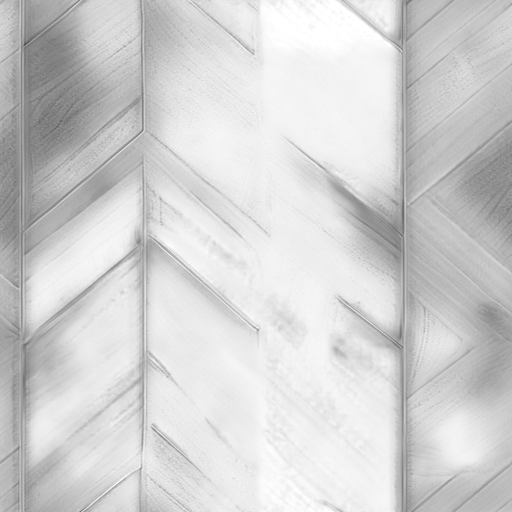
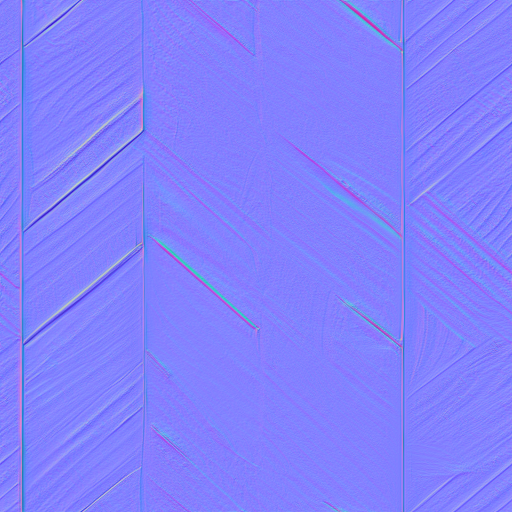
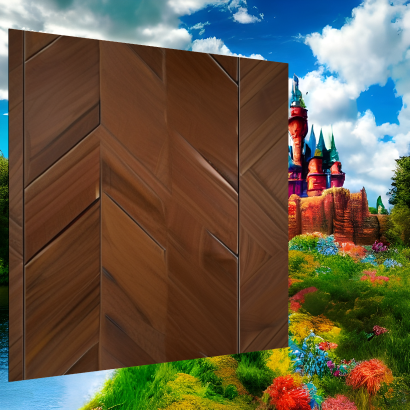
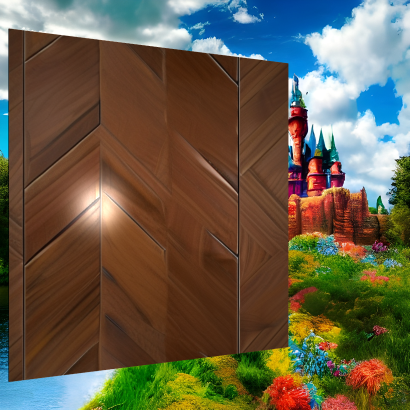
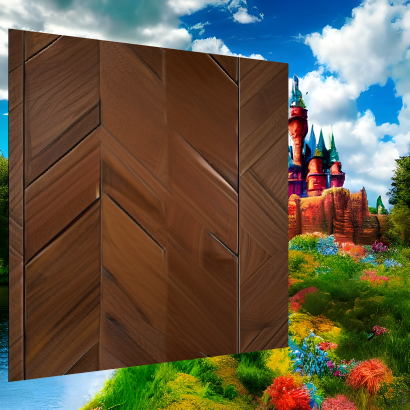
Polished wood, like that used in housing, has a strong specular component due to the finish and buff. A combination of a specular and a bump map highlights the details in the wood:
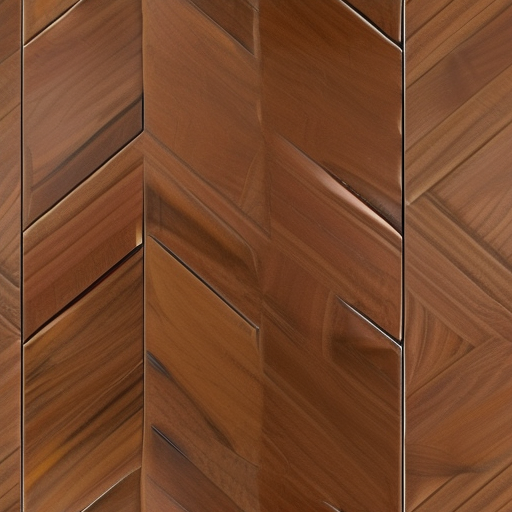
 |
 |
 |
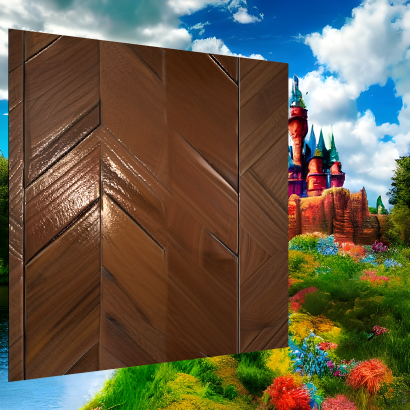 |
| Diffuse | Diffuse+Specular | Diffuse+Bump | Diffuse+Specular+Bump |
Image for texture maps, as demonstrated here when used as a diffuse map:

Secondly, by using a WritableImage, the pixel values can be changed programmatically, creating a live texture
as demonstrated for the diffuse map by this code snippet that repaints the image left to right and top to bottom:

WritableImage diffuseMap = ...
material.setDiffuseMap(diffuseMap);
var timer = new AnimationTimer() {
    int x, y;

    @Override
    public void handle(long now) {
        diffuseMap.getPixelWriter().setColor(x, y, Color.color(0, 0, 1, 0.5));
        x++;
        if (x > diffuseMap.getWidth() - 1) {
            x = 0;
            y++;
            if (y > diffuseMap.getHeight() - 1) {
                stop();
            }
        }
    }
};
timer.start();
texture coordinates
of the mesh, the explanation for which is out of scope for this class.
LightBase, Shape3D
| Modifier and Type | Field and Description |
|---|---|
| private ObjectProperty | bumpMap
The bump map of this |
| private boolean | |
| private ObjectProperty | diffuseColor
The diffuse color of this |
| private boolean | |
| private ObjectProperty | diffuseMap
The diffuse map of this |
| private boolean | |
| private Image | |
| private Image | |
| private Image | |
| private Image | |
| private NGPhongMaterial | peer
The peer node created by the graphics Toolkit/Pipeline implementation |
| private final AbstractNotifyListener | |
| private ObjectProperty | selfIlluminationMap
The self illumination map of this |
| private boolean | |
| private ObjectProperty | specularColor
The specular color of this |
| private boolean | |
| private ObjectProperty | specularMap
The specular map of this |
| private boolean | |
| private DoubleProperty | specularPower
The specular power of this |
| private boolean |
| Access | Constructor and Description |
|---|---|
| public | PhongMaterial()
Creates a new instance of |
| public | PhongMaterial(Color
the color of the diffuseColor property diffuseColor)Creates a new instance of |
| public | PhongMaterial(Color
the color of the diffuseColor property diffuseColor, Image the image of the diffuseMap property diffuseMap, Image the image of the specularMap property specularMap, Image the image of the bumpMap property bumpMap, Image the image of the selfIlluminationMap property selfIlluminationMap)Creates a new instance of |
| Modifier and Type | Method and Description |
|---|---|
| public final ObjectProperty | |
| public final ObjectProperty | |
| public final ObjectProperty | |
| public final Image | |
| public final Color | |
| public final Image | |
| pack-priv NGPhongMaterial | |
| public final Image | |
| public final Color | |
| public final Image | |
| public final double | |
| public final ObjectProperty | |
| public final void | |
| public final void | |
| public final void | |
| pack-priv void | |
| public final void | |
| public final void | |
| public final void | |
| public final void | |
| public final ObjectProperty | |
| public final ObjectProperty | |
| public final DoubleProperty | |
| public String | |
| pack-priv void |
| bumpMap | back to summary |
|---|---|
| private ObjectProperty<Image> bumpMap The bump map of this
| |
| bumpMapDirty | back to summary |
|---|---|
| private boolean bumpMapDirty | |
| diffuseColor | back to summary |
|---|---|
| private ObjectProperty<Color> diffuseColor The diffuse color of this
| |
| diffuseColorDirty | back to summary |
|---|---|
| private boolean diffuseColorDirty | |
| diffuseMap | back to summary |
|---|---|
| private ObjectProperty<Image> diffuseMap The diffuse map of this
| |
| diffuseMapDirty | back to summary |
|---|---|
| private boolean diffuseMapDirty | |
| oldBumpMap | back to summary |
|---|---|
| private Image oldBumpMap | |
| oldDiffuseMap | back to summary |
|---|---|
| private Image oldDiffuseMap | |
| oldSelfIlluminationMap | back to summary |
|---|---|
| private Image oldSelfIlluminationMap | |
| oldSpecularMap | back to summary |
|---|---|
| private Image oldSpecularMap | |
| peer | back to summary |
|---|---|
| private NGPhongMaterial peer The peer node created by the graphics Toolkit/Pipeline implementation | |
| platformImageChangeListener | back to summary |
|---|---|
| private final AbstractNotifyListener platformImageChangeListener | |
| selfIlluminationMap | back to summary |
|---|---|
| private ObjectProperty<Image> selfIlluminationMap The self illumination map of this
| |
| selfIlluminationMapDirty | back to summary |
|---|---|
| private boolean selfIlluminationMapDirty | |
| specularColor | back to summary |
|---|---|
| private ObjectProperty<Color> specularColor The specular color of this
| |
| specularColorDirty | back to summary |
|---|---|
| private boolean specularColorDirty | |
| specularMap | back to summary |
|---|---|
| private ObjectProperty<Image> specularMap The specular map of this
| |
| specularMapDirty | back to summary |
|---|---|
| private boolean specularMapDirty | |
| specularPower | back to summary |
|---|---|
| private DoubleProperty specularPower The specular power of this
| |
| specularPowerDirty | back to summary |
|---|---|
| private boolean specularPowerDirty | |
| PhongMaterial | back to summary |
|---|---|
| public PhongMaterial() Creates a new instance of | |
| PhongMaterial | back to summary |
|---|---|
| public PhongMaterial(Color diffuseColor) Creates a new instance of
| |
| PhongMaterial | back to summary |
|---|---|
| public PhongMaterial(Color diffuseColor, Image diffuseMap, Image specularMap, Image bumpMap, Image selfIlluminationMap) Creates a new instance of | |
| bumpMapProperty | back to summary |
|---|---|
| public final ObjectProperty | |
| diffuseColorProperty | back to summary |
|---|---|
| public final ObjectProperty | |
| diffuseMapProperty | back to summary |
|---|---|
| public final ObjectProperty | |
| getBumpMap | back to summary |
|---|---|
| public final Image getBumpMap() | |
| getDiffuseColor | back to summary |
|---|---|
| public final Color getDiffuseColor() | |
| getDiffuseMap | back to summary |
|---|---|
| public final Image getDiffuseMap() | |
| getNGMaterial | back to summary |
|---|---|
| pack-priv NGPhongMaterial getNGMaterial() Implements abstract javafx.
| |
| getSelfIlluminationMap | back to summary |
|---|---|
| public final Image getSelfIlluminationMap() | |
| getSpecularColor | back to summary |
|---|---|
| public final Color getSpecularColor() | |
| getSpecularMap | back to summary |
|---|---|
| public final Image getSpecularMap() | |
| getSpecularPower | back to summary |
|---|---|
| public final double getSpecularPower() | |
| selfIlluminationMapProperty | back to summary |
|---|---|
| public final ObjectProperty | |
| setBumpMap | back to summary |
|---|---|
| public final void setBumpMap(Image value) | |
| setDiffuseColor | back to summary |
|---|---|
| public final void setDiffuseColor(Color value) | |
| setDiffuseMap | back to summary |
|---|---|
| public final void setDiffuseMap(Image value) | |
| setDirty | back to summary |
|---|---|
| pack-priv void setDirty(boolean value) Overrides javafx.
| |
| setSelfIlluminationMap | back to summary |
|---|---|
| public final void setSelfIlluminationMap(Image value) | |
| setSpecularColor | back to summary |
|---|---|
| public final void setSpecularColor(Color value) | |
| setSpecularMap | back to summary |
|---|---|
| public final void setSpecularMap(Image value) | |
| setSpecularPower | back to summary |
|---|---|
| public final void setSpecularPower(double value) | |
| specularColorProperty | back to summary |
|---|---|
| public final ObjectProperty | |
| specularMapProperty | back to summary |
|---|---|
| public final ObjectProperty | |
| specularPowerProperty | back to summary |
|---|---|
| public final DoubleProperty specularPowerProperty() | |
| toString | back to summary |
|---|---|
| public String toString() Overrides java. Doc from java. Returns a string representation of the object.
Satisfying this method's contract implies a non-
| |
| updatePG | back to summary |
|---|---|
| pack-priv void updatePG() Implements abstract javafx.
| |