


SpreadsheetCellType and
SpreadsheetCell in order to control how each value will be entered. SpreadsheetCell#setEditable(boolean) ). SpreadsheetView.
It will just be given a value, and it will just give back another one after.
The policy regarding validation of a given value is defined in
SpreadsheetCellType#match(Object).
If the value doesn't meet the requirements when saving the cell, nothing
happens and the editor keeps editing. getMaxHeight(). This can be used in order to control the display of your editor. If they
should grow or not in a big cell. (for example a TextAreaEditor want
to grow with the cell in order to take full space for display.
SpreadsheetCellEditor. Here are their properties: StringEditor: Basic TextField, can accept all data and
save it as a string.ListEditor: Display a ComboBox with the different values.
DoubleEditor: Display a TextField which accepts only
double value. If the entered value is incorrect, the background will turn red
so that the user will know in advance if the data will be saved or not.IntegerEditor: Display a TextField which accepts only
Integer value. If the entered value is incorrect, the background will turn red
so that the user will know in advance if the data will be saved or not.DateEditor: Display a DatePicker.ObjectEditor: Display a TextField , accept an Object.SpreadsheetCellEditor for displaying other controls.SpreadsheetView when needed.
startEdit(Object): You will configure your control with the
given value which is SpreadsheetCell#getItem() converted to an
object. You do not instantiate your control here, you do it in the
constructor.getEditor(): You will return which control you're using (for
display).getControlValue(): You will return the value inside your editor
in order to submit it for validation.end(): When editing is finished, you can properly close your own
control.endEdit(boolean) where
a true value means you want to commit, and a false means you
want to cancel. The SpreadsheetView will handle all the rest for you
and call your methods at the right moment. 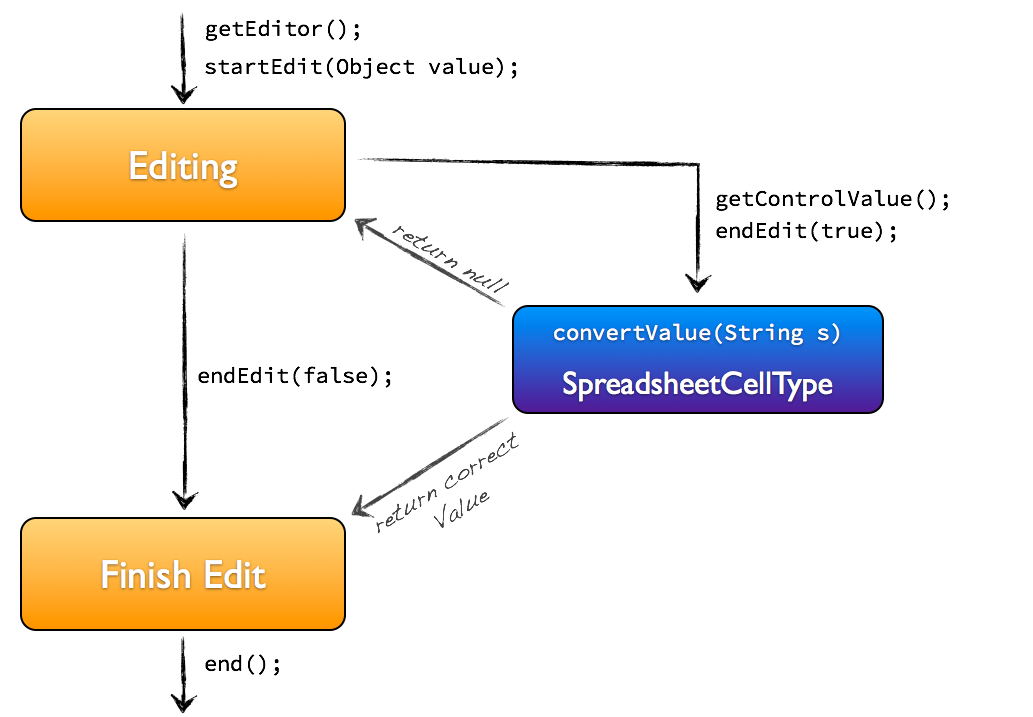
| String | 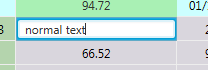 |
| List | 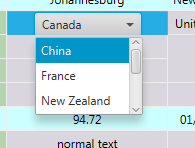 |
| Double | 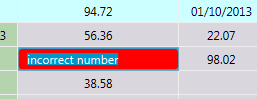 |
| Date | 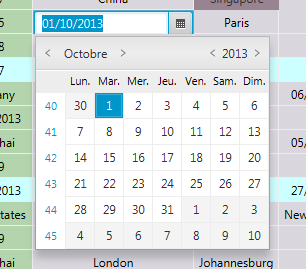 |
SpreadsheetView, SpreadsheetCell, SpreadsheetCellType
| Modifier and Type | Class and Description |
|---|---|
| public static class | |
| public static class | |
| public static class | |
| public static class | SpreadsheetCellEditor.
A |
| public static class | |
| public static class | |
| public static class |
| Modifier and Type | Field and Description |
|---|---|
| private static final DecimalFormat | |
| private static final double | |
| pack-priv SpreadsheetView |
| Access | Constructor and Description |
|---|---|
| public |
| Modifier and Type | Method and Description |
|---|---|
| public abstract void | |
| public final void | endEdit(boolean
true means commit, false means cancel b)Whenever you want to stop the edition, you call that method. |
| public abstract String | Returns: the value within your editor as a string.Return the value within your editor as a string. |
| public abstract Control | |
| public double | |
| public void | |
| public abstract void | startEdit(Object item, String format, Object... options)
Does the same as |